

How To Create Google Ads
Step 1: Set Up Your Google Ads Account
- Go to the Google Ads homepage (ads,google.com) and click the Start Now button.
- You will sign in with a Google account or set up a new one.
Step 2: Choose your Business Name and Website
This is where people will be redirected to when they click on the ad.
Step 3: Choose your Campaign Goal
You have several options to choose from.
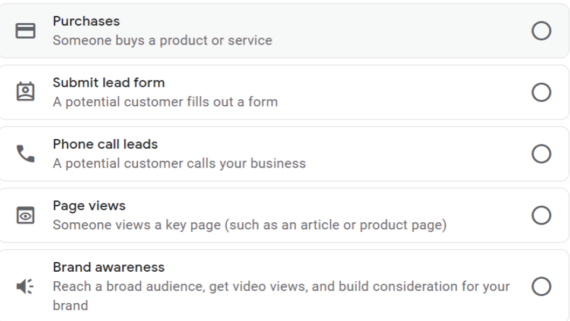
Choose the option that best aligns with your business.
Step 4: Choose a Campaign Type
Depending on your campaign goal, choose a campaign type. For example for a web traffic goal, you would choose search or display types.
Google gives you suggestions but take time to choose the option that attracts and converts your customers
Step 5: Create your Ad
Depending on your industry, expertise, and interest, select an ad group.
Google guides you throughout the process.
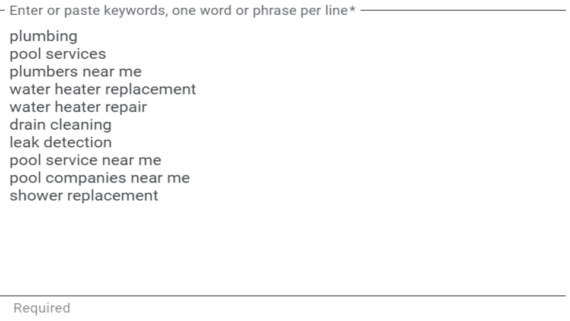
You can start slow and then measure what works to refine your ads later.
You’ll need:
-A valid URL
-15 headline options at maximum
-Up to 4 descriptions
-Relevant images
-4 or more specific site links that will appear under your ad
-Callouts featuring short attributes, such as “free delivery” or “open 24/7”
-Any optional details you deem necessary, such as a phone number or your app store link.
Step 6: Set your Ad location
- You can add locations where you want your ad to appear.
Step 7: Set your Budget
- You can choose from the options offered by Google or set up a custom amount.
- Google’s default daily options vary from $2.50-$13.90. The more you pay the more clicks but you can choose to set a median amount and then optimize using other methods like keywords.
Step 8: Confirm Payment
- For the ad to run successfully you need to enter your billing information and confirm payment.
9. Link your Google Analytics
Set up your Google Analytics and connect it to your Google Ads account so that you can track and measure the performance of your ad. In this way, you’ll view all your data in one place!
And that’s it. You have created your first ad!
Assignment:
Download the workbook and go through Steps 1,2 & 3.
In case of any questions send us an email (letstalk@wambuimugo.com)